
Importing Categories
While importing other things like assets, accessories, licenses, etc, categories will be created for you if they don't exist, sometimes you may want to import a large number of categories at one time before you begin adding other things.
You can find a sample CSV to start from in the source on Github.
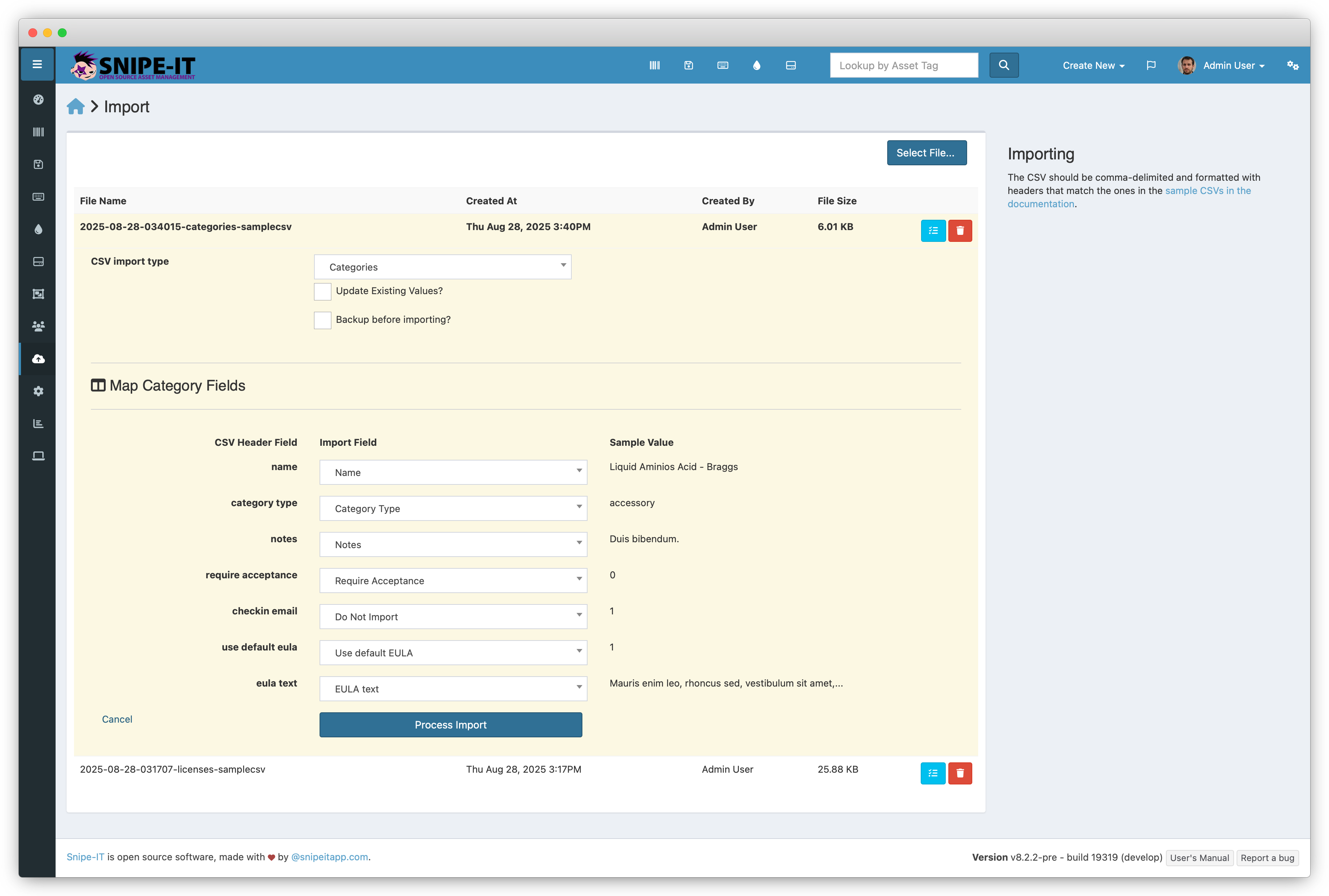
Mapping Category Fields
| Field | Example | Required | Notes |
|---|---|---|---|
| Name | Laptops & Desktops | Yes | Name of the category |
| Category Type | asset | Yes | Type of category. This must be one of asset, license, accessory, consumable, component |
| Notes | No | Notes associated with this category | |
| Require Acceptance | 1 or Yes | No | Whether items within this category require the user to login to accept them. |
| Checkin Email | 1 or Yes | No | Whether items within this category will send an email to the user on checkin/checkout. |
| Use Default EULA | 1 or Yes or True0 or No or False | No | Whether to use the default EULA (if one exists) from Admin Settings > General. |
| EULA Text | No | Category-specific EULA text |
Updated 6 months ago
Related Information
Did this page help you?