Jump to Content
Snipe-IT DocumentationInstallationReleasesUser's ManualAPI Reference
GuidesAPI Reference
InstallationReleasesUser's ManualAPI Reference⭐️ Hosted🛟 Pro SupportSnipe-IT Documentation
Guides
⭐️ Hosted🛟 Pro Support
Importing Components

Installation

  • Introduction
  • Security
  • Installation
    • Requirements
    • Downloading
    • Env Configuration
    • Install Dependencies
    • Generate Your App Key
    • Pre-Flight & Setup
  • Server Configuration
    • Linux/OSX
    • Docker
    • WAMP
    • Windows/IIS
    • XAMPP
    • Caddy
    • Vagrant (via Homestead)
    • Subdirectories
    • Reverse Proxies
    • Changing PHP upload size
  • Upgrading
  • Misc
    • Clearing the Config Cache
    • Manually Editing Data
    • Creating a Database and User
    • Switching to a Git Install
    • Setting up Google Maps
    • Moving Snipe-IT
    • Health Check URL
    • Google Apps Scripts
    • Sending Email Through Cloud Services
  • How Releases Work

Command Line Utilities

  • The Basics
  • Configuring Alerts & Backups
  • LDAP Troubleshooter
  • Syncing and Importing
    • Bulk License Checkout/Checkin
    • CLI Item Importer
    • Restore from Backup File
    • Merging Users
    • Importing Locations
    • Asset Counter Sync
    • LDAP Sync
    • Asset Location Sync
  • Email Notification Scripts
    • Unaccepted Asset Reminders
    • User Inventory
  • Data Normalization
    • Fix Double-Escaped Text
    • Purging Soft-Deletes
    • Regenerate Asset Tags
    • Convert Unencrypted Custom Fields
    • Moving Uploads
    • Re-Crypter
    • Fix Missing Assigned Type
    • Location Scoping Check
    • Fix Bulk Accessories Logs
  • 🛟 Emergency Mode
    • Logout All Sessions
    • Key Rotation
    • Disabling SAML
    • Disabling LDAP
    • Create an Admin
  • Dev Tools
    • Seeding the Database

Help

  • Common Issues
    • Installation/Upgrading Issues
    • Issues Sending Mail
    • Importer Issues
    • Database Errors
    • Debugging Server Permissions
  • Getting Help
    • "Whoops!"
  • Advanced Debugging

User's Manual

  • Overview
  • Permissions
  • Getting Started
  • Admin Settings
    • Branding
    • General Settings
    • Security Options
      • Two-Factor Authentication
    • Groups
    • Localization
    • Notifications
    • Webhook Integration
    • Asset Tags
    • Barcodes
    • Asset Labels
      • Asset Label Printer Examples and settings
    • LDAP Sync & Login
      • Hosted LDAP Providers
    • SAML
    • Purge Soft-Deletes
    • Backup & Restore
    • SCIM
  • Asset Models
  • Categories
  • Importing
    • Importing Users
    • Importing Assets
    • Importing Asset Models
    • Importing Licenses
    • Importing Accessories
    • Importing Components
    • Importing Consumables
    • Importing Locations
    • Importing Categories
    • Importing Suppliers
    • Importing Manufacturers
  • Managing Users
    • Bulk Editing Users
    • Merging Duplicate Users
  • Managing Assets
    • Custom Fields
    • Importing History
    • Asset Acceptance
    • Requestable Assets
    • Connecting to Google Docs
    • Cloning Assets
    • Depreciation Types
  • System Notifications
    • Email Alerts
  • JAMF & Kandji Integration
  • Third-Party Integrations

Contributing

  • Overview
  • Architecture
  • Accessibility
  • Security
  • Internally Parsing the API
  • User Permissions
  • CSS and Javascript
    • Bootstrap Tables
  • Testing
  • Translations
  • Laravel Herd + SSL
Powered by 

Importing Components

You can find a sample CSV to start from in the source on Github.
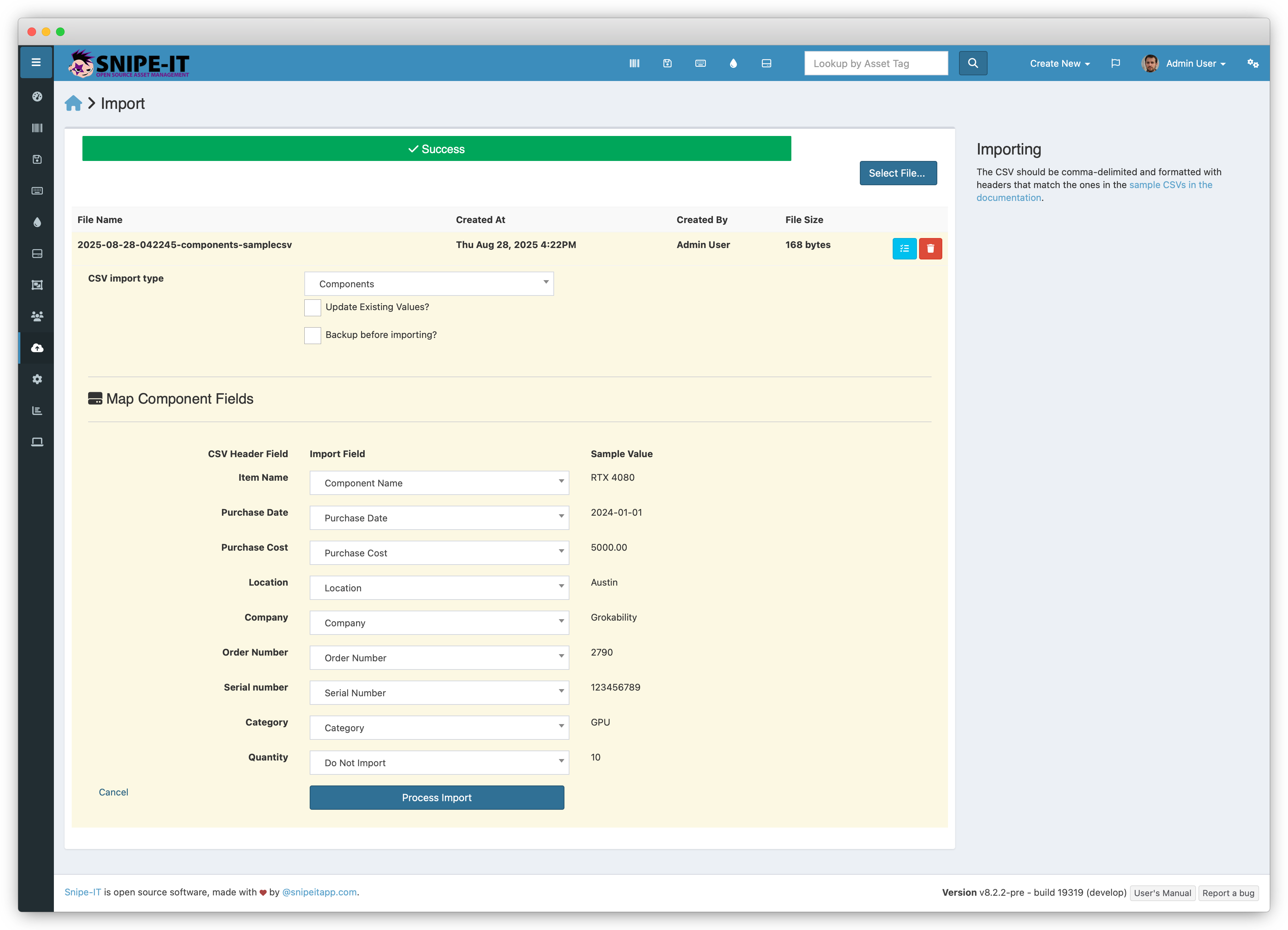
Mapping Component Fields

FieldRequiredNotes
NameYes
QuantityYes
Purchase CostNo
Purchase DateNo
LocationNo
Order NumberNo
Serial NumberNo
CategoryNo
CompanyNo

Updated 15 days ago


Related Information
  • Importing
  • Importer Issues
    • Mapping Component Fields